Web Platform Sample
How to host the sample
Host the sample on XProtect Mobile Server
When you install the XProtect Mobile Server, the following files are installed in \\Program Files\Milestone\Milestone Mobile Server\Web\XPMobileSDK\Samples:
- images folder
- videoSample.js
- sample.html.download
- sample.html
To host the sample on your XProtect Mobile Server, change the name of the sample.html.download file.
You can now open the hosted sample at http://[server]:8081/XPMobileSDK/Samples/Video/videoSample.html.
Host the sample on a server different from the XProtect Mobile Server
This describes how you can host the Mobile JavaScript SDK in a server different from the XProtect mobile server.
To have the JavaScript sample of the SDK up and running, first you need to have a web server which will be used to host the application.
The SDK is not limited to a particular web server. How to configure and host the JavaScript SDK in the web server is not discussed in this document because there are many different servers available on the market and each has its specifics.
There is a mechanism on every browser which prevents calling an http request to a server which is different than the one that hosts the application. This restriction is called Cross-Origin Resource Sharing (CORS).
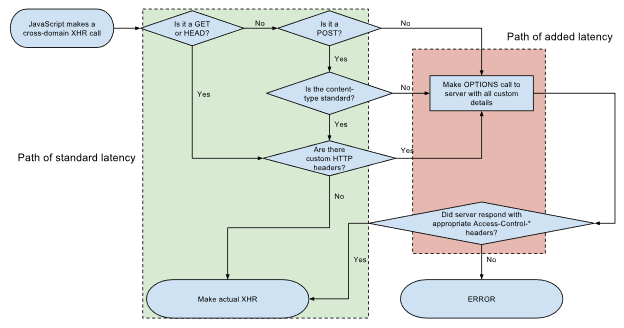
To allow this, you must open and edit the configuration file on the mobile server named VideoOS.MobileServer.Service.exe.config. Find the line containing the following key: Access-Control-Allow-Origin and change its value to the host which servers the JavaScript SDK (for example: http://hostname:port)

You can also use wildcards (*) to allow this for every hostname.
The other security mechanism set in the mobile server is called Content Security Policy (CSP). This policy prevents the arbitrary user from stealing data from the mobile server. To remove it, you can set the key: Content-Security-Policy value to empty in the mobile server configuration file:

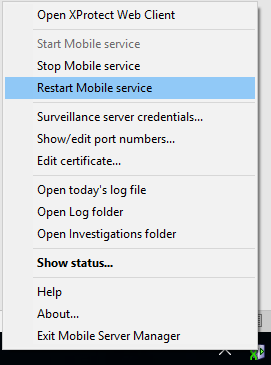
After making these changes, you must restart the mobile server, so that the changes are applied.