Sequence Viewer
The Sequence Viewer sample demonstrates how to access the timing information for an Item.
This sample was previously named Data Source.
In this sample, you can select the sequence information and the motion detection for a camera and display the 5 latest events within the last 24 hours.
In the code, there are 2 ways to access this information: synchronous or asynchronous. These can be individually activated from the buttons in the UI. You can also implement data sources if you create new Items that have some specific data associated with them.
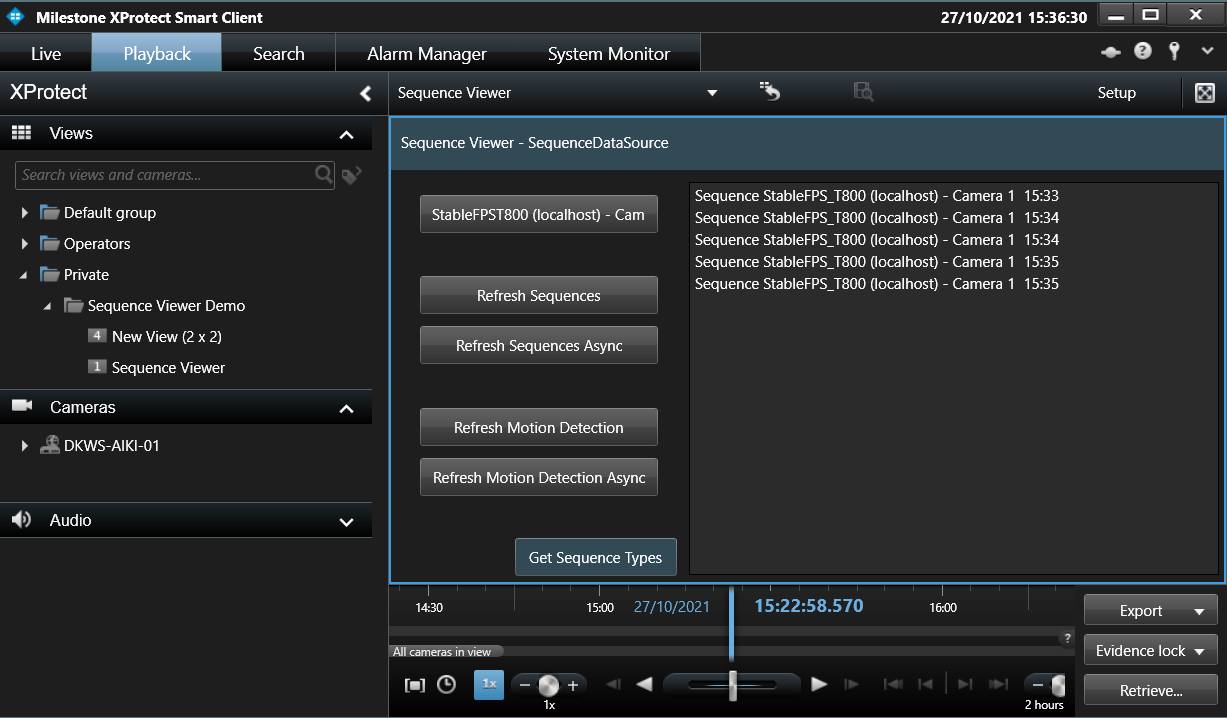
The sample demonstrates
- Selection of camera
- Usage of data source for getting information of recorded sequences
- Usage of asynchronous calls – shows the different types of sequences available
Using
- VideoOS.Platform.Client.ViewItemUserControl
- VideoOS.Platform.Data.SequenceDataSource
Environment
- MIP environment in Smart Client
Visual Studio C# project
Special notes
The Get Sequence type button returns a list of available types for the item.