Camera Stream Resolution
This sample shows how to find out what resolution there is in the images from a certain camera at the time the sample is run. It also demonstrates how to retrieve information about whether more streams are running.
This sample is a console application, this ensures that the code is small and simple.
When connected to the server it will find a camera which name contains a specified string. It will then for the last recorded image from that camera display the width and height, it will for a live image from the camera display the width and height, it will now list the camera streams running on the camera and for each stream display properties.
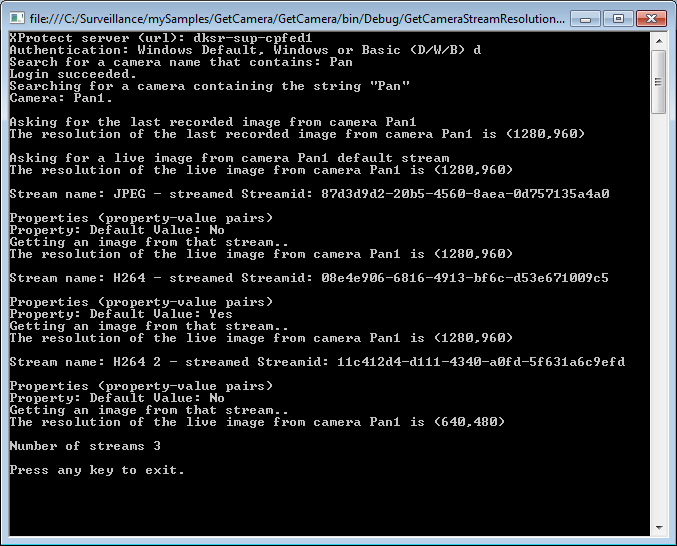
The capability of having more than one live stream only exists in the XProtect Corporate and Expert version, this means the sample will only return a list of stream in XProtect Corporate and Expert. The sample will work for all versions of XProtect, in other XProtect versions you will still get the recorded and the live image information.
The sample demonstrates
- Login with credentials provided by operator
- Search for a camera using a string that is compared to the camera name
- Get the latest recorded image, and the resolution
- Get the default live image, and the resolution
- Get a list of the streams and properties belonging to each stream
- Get a live image from a specific stream, and the resolution of it
Using
- VideoOS.Platform.Data.StreamDataSource
- VideoOS.Platform.Live.JPEGLiveSource
- VideoOS.Platform.Live.LiveContentEventArgs
- VideoOS.Platform.Data.JPEGVideoSource
Environment
- .NET library MIP Environment